
On Tuesday, Apple released firmware updates for the Magic Keyboard designed for the iPad Pro and iPad Air. This is something the company does periodically.
Making sure the accessory is on the latest version ensures it works reliably and remains fully compatible with the latest versions of iPadOS.
Updating is really very easy. Here’s what to do.
Magic Keyboard firmware updates are your friends
The Apple Magic Keyboard is more complex than you might realize. It’s actually a second computer that works in combination with your iPad. As such, it needs its own operating system. And this occasionally gets updates.
These firmware updates can fix bugs that cause missed keystrokes, lag or connection issues, and they may improve power efficiency or typing responsiveness behind the scenes. Apple also uses firmware updates to address security vulnerabilities and to support new iPadOS features, such as improved trackpad gestures or system-level keyboard behaviors.
Checking to be sure your Apple Magic Keyboard for iPad gets the latest is important.
How to: Update your Apple Magic Keyboard for iPad
Like too many Apple accessories, the Apple Magic Keyboard for iPad doesn’t have a simple “update” button. But that doesn’t mean that the process is complicated. Quite the opposite.
Attach the Magic Keyboard to your iPad via the Smart Connector and connect the iPad to an external power source. Once those conditions are met, Apple pushes firmware updates in the background, without notifying the user. It should only take a few minutes.
For most people, the update will happen automatically. But not everyone — the update will not install if the tablet isn’t getting power, as noted. If you only use the Magic Keyboard in class or in a coffeeshop while running on battery power, switching to a simple, lightweight case after returning home, the accessory won’t get the firmware update.
Check the firmware on an Apple Magic Keyboard for iPad
Screenshot: Ed Hardy/Cult of Mac
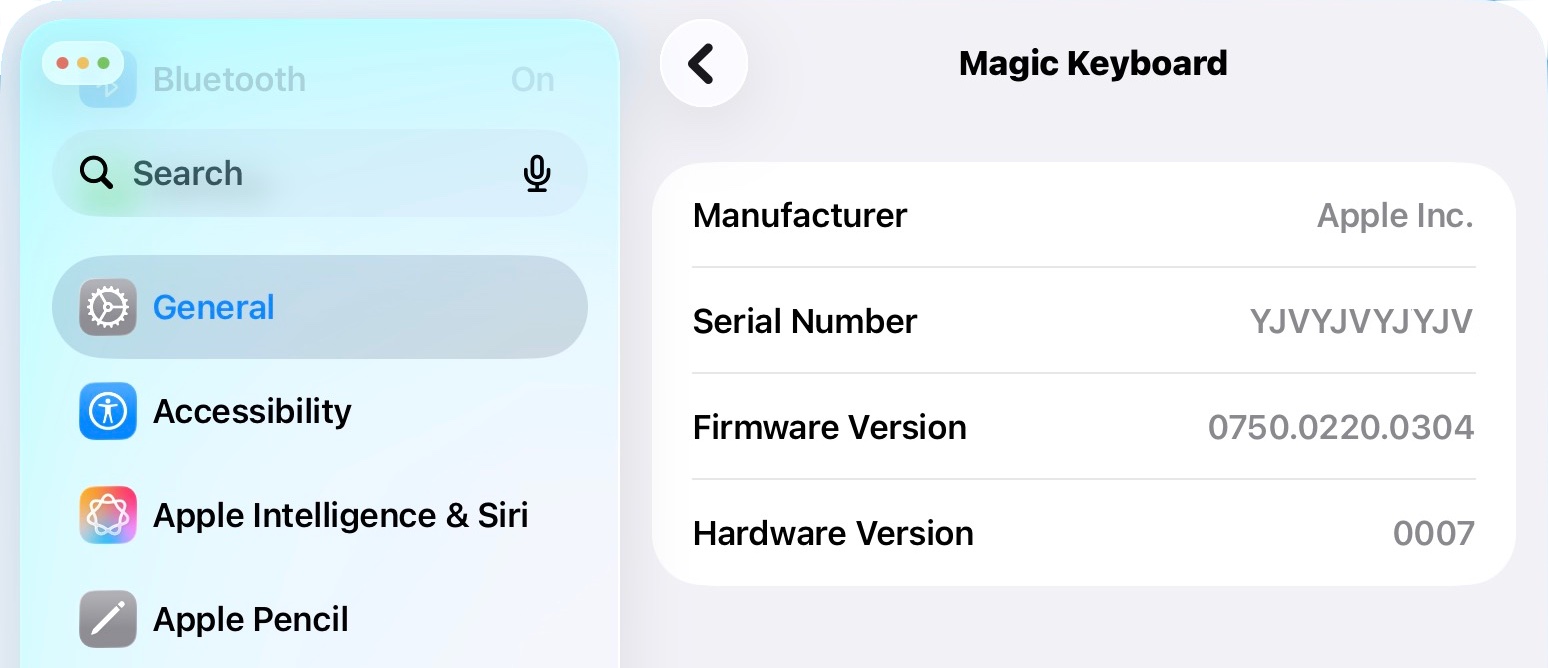
Apple also makes it easy to check the firmware version of your Magic Keyboard to be sure you’re on the latest version. You just need to know where to look.
With the keyboard connected to your tablet, open the iPadOS Settings application and navigate to General > About > Magic Keyboard. The current firmware version will be listed there.
While there’s agreement that Apple released new firmware for several versions of this accessory on Tuesday, there’s not a full consensus on what exactly we got.
Cult of Mac’s own keyboard for iPad Pro M4/M5 updated on Tuesday to firmware version 0750.0220.0304. However, Aaron Perris used X (formerly Twitter) to say instead that the Magic Keyboard for iPad Pro just moved to firmware version 1872.544.772.
Perris also said the M3 iPad Air version of the accessory went to firmware 1024.320.771.
But no matter the exact version number, there’s no information out of Apple on what modifications are included in any of the various new versions.

Ed Hardy has been writing full-time about tech for 25 years, and using it for much longer than that. His intro to Apple was a Macintosh Classic II (which he still has), but now he uses a 13-inch iPad Pro as his primary computer. He’s written for NotebookReview, TabletPCReview, and Brighthand, as well as other sites.





