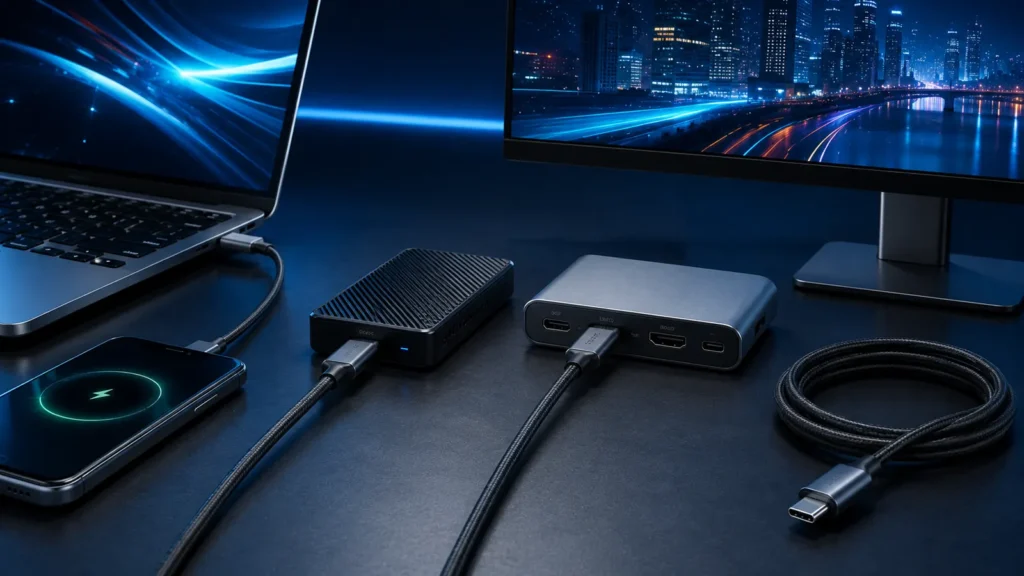
USB-C solved the physical connector problem but created a new identification problem: the plug looks the same across a huge range of capabilities. One cable can charge a phone and transfer data slowly; another can carry high-speed USB4, displays and up to 240W of USB Power Delivery.
- USB-C is a connector, not a speed grade.
- Charging capability and data capability are separate specifications.
- USB-IF certified USB-C to USB-C cables use 60W or 240W power capability markings.
- USB4 can carry data and display protocols over the same high-speed link.
- Use a cable matched to the job instead of buying by connector shape alone.
USB-C is only the physical interface
The Type-C connector defines pin layout, orientation and connection behavior. It does not guarantee USB4, Thunderbolt, DisplayPort video or a particular charging wattage.
Charging-only and USB 2-class cables
Some inexpensive USB-C cables support charging plus only basic USB 2.0 data rates. That can be completely adequate for charging a phone or connecting a low-speed accessory, but painfully slow for external SSD transfers.
USB 3.x cables
High-speed USB 3-class cables add the SuperSpeed lanes needed for multi-gigabit data. Naming has changed over the years, so look for the actual advertised performance such as 5, 10 or 20 Gbps rather than relying on old generation names alone.
USB4 cables
USB4 uses USB-C and is designed to carry multiple data and display protocols over a shared high-speed link. USB-IF currently documents USB4 operation up to 80 Gbps over appropriate certified cables.
| Cable use | What to look for |
|---|---|
| Phone charging | Correct USB PD power rating |
| External SSD | Data rate matching drive/host |
| USB-C monitor | Video-capable full-feature cable |
| Dock | Data + display + required power |
| USB4 device | Certified USB4 performance marking |
| 140W+ laptop | 240W-capable USB-C cable + compatible PD source/device |
60W vs 240W cable markings
USB-IF requires certified USB-C to USB-C cable categories to be labeled for either 60W or 240W power capability. The 240W category supports USB PD 3.1 Extended Power Range when the charger and device also support it.
What is an E-marker?
An electronically marked cable contains a chip that communicates cable capabilities to the connected devices. High-current and high-performance configurations use this information to establish safe operation.
Does a 240W cable automatically support fast data?
No. Power capability and data capability are independent. A cable can be designed primarily for charging and still have limited data performance. Look for both markings/specifications.
Does a fast USB4 cable automatically charge at 240W?
Also no. A cable may be designed for high data bandwidth but have a lower power rating. Again, check both.
USB-C video: the cable must carry the required high-speed lanes
USB-C display output can use DisplayPort Alt Mode or tunneling through USB4/Thunderbolt. A charge-focused cable without the necessary high-speed lane support will not magically become a display cable.
Why some USB-C monitor cables are short
Higher signaling rates are harder to maintain over long passive copper cables. Shorter cables make signal integrity easier. Longer high-performance cables may use more expensive construction or active electronics.
Thunderbolt cables and USB4
Thunderbolt-certified cables are designed to meet Intel’s Thunderbolt requirements, while USB4 certification follows USB-IF. Compatibility can be broad, but the best mutual capability still depends on host, device and cable.
How to label your own cable drawer
- Charge cable: note 60W or 240W.
- Data cable: note 5/10/20/40/80 Gbps as applicable.
- Display cable: mark cables known to work with your monitor/dock.
- Special cables: keep Thunderbolt/USB4-certified cables separate if you frequently troubleshoot docks.
Why cable swaps are such a useful diagnostic tool
When charging, video or data fails, a known-good cable removes one entire variable. Keep at least one short, certified full-feature cable as a reference cable for troubleshooting.
Common buying mistakes
- Buying by “USB-C” alone.
- Assuming high wattage means high data speed.
- Assuming high data speed means high charging power.
- Using an unknown long cable for a high-resolution dock setup.
For charging behavior, read Why a 100W USB-C Charger Doesn’t Always Charge at 100W.
Data generations: ignore old marketing names when possible
USB naming has changed repeatedly. For buying and troubleshooting, the clearest approach is to look for the actual data rate printed in Gbps: 5, 10, 20, 40 or 80 Gbps where applicable. This avoids confusing “Gen 1/Gen 2” labels that have been reused across branding generations.
Passive vs active cables
Passive copper cables rely on signal integrity through the conductors alone. At very high data rates or longer lengths, active cables may include signal-conditioning electronics. Active cables can be excellent for high-speed docks and displays, but compatibility can be narrower for some legacy modes, so check the intended use.
USB-C to USB-C vs USB-A to USB-C
A USB-A to USB-C cable cannot provide the same range of USB Power Delivery behavior as a full USB-C to USB-C PD connection because the Type-A side lacks the USB-C configuration channel used for modern negotiation. It may still support vendor fast charging or USB data, but it is a different architecture.
Video requires support from host, cable and display path
A laptop USB-C port must actually support DisplayPort Alt Mode, USB4/Thunderbolt tunneling or another appropriate display path. A full-feature cable cannot add video capability to a host port that does not provide it.
Why docks are the hardest cable test
A dock can simultaneously carry display traffic, USB data, Ethernet and power delivery. A marginal cable may appear fine with a phone but fail when a dock uses all high-speed lanes. This is why a short certified reference cable is so useful.
Can a USB4 cable be used with USB 2 devices?
USB is designed for backward compatibility across many combinations, and USB4 Type-C connections retain support for USB 2.0 operation through dedicated wiring. The negotiated speed simply falls to the highest mode supported by both ends and the cable.
What about Thunderbolt 4/5 cables?
Thunderbolt cables carry Intel certification for Thunderbolt capability, while USB4 cables follow USB-IF certification. High-quality certified cables can overlap in capability, but the logo tells you which compliance program the product was tested against.
Charging cables for 140W and 240W devices
Above 100W, the connection uses USB PD 3.1 Extended Power Range. Use a 240W-rated USB-C cable and ensure the charger and laptop both support the required EPR profile. A 240W cable does not force higher power into lower-power devices.
How cable length changes the decision
For high data rates, shorter passive cables are easier to engineer reliably. If you need a long run to a dock or display, buy a cable explicitly certified for the required speed and length rather than assuming any long USB-C cable will work.
A cable matrix for a real desk
| Job | Recommended known capability |
|---|---|
| Phone fast charging | Correct PD/PPS power rating |
| Laptop 140W charging | 240W-rated USB-C cable |
| 10 Gbps SSD | 10 Gbps+ data cable |
| USB-C monitor | Full-feature video-capable cable |
| USB4 dock | Certified USB4 cable at dock’s required speed |
| Thunderbolt dock | Certified Thunderbolt cable matching generation |
How to create a “known-good” troubleshooting set
- One short 240W charging cable
- One certified high-speed USB4/Thunderbolt cable
- One basic USB 2 cable for low-speed peripherals
- Labels or tags with wattage and Gbps
- Keep unknown promotional cables separate
Why “charging cable” is not a technical specification
Retail listings often call a cable a “fast charging cable” without clearly stating data performance. That phrase only tells you the seller wants to emphasize power. A useful listing should separately state the supported power level, data rate and any display/USB4/Thunderbolt certification.
Why a cable can work at first and fail later
High-speed signaling has less margin than basic charging. Repeated bending, connector wear or poor shielding can create intermittent errors that never affect low-speed USB 2.0 operation. If an SSD or dock starts dropping out while charging still works, the cable remains a prime suspect.