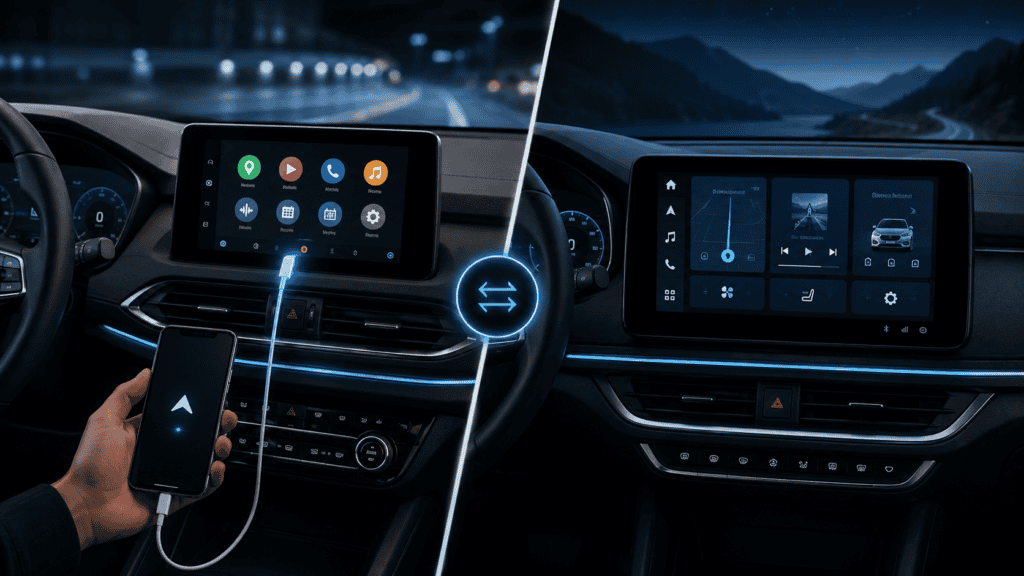
Quick answer: Android Auto is phone projection: your Android phone supplies apps, accounts and much of the processing while the vehicle displays a driving-friendly interface. Android Automotive OS (AAOS) is an operating system running directly on the vehicle’s infotainment computer. Google built-in is a set of Google services that some AAOS vehicles include — it is not the same thing as AAOS itself.
Android Auto: your phone is still central
When you use Android Auto, the phone remains the source for applications such as navigation, messaging and media. The head unit provides the screen, input controls, audio integration and vehicle-side connection.
Depending on the vehicle, Android Auto can connect through USB or wirelessly. If you change cars, your apps and Google account travel with the phone.
Android Automotive OS: Android lives in the vehicle
AAOS is designed to run natively on automotive infotainment hardware. That lets automakers integrate the OS much more deeply with the vehicle than a projection system can.
Apps built for AAOS can run without a connected phone, subject to the vehicle’s connectivity and app ecosystem.
Google built-in is another layer
This is where product marketing becomes confusing. An automaker can build a system on Android Automotive OS and choose whether to include Google services. Cars advertised with Google built-in can include Google Maps, Google Play and Gemini/Google services directly in the vehicle.
Side-by-side
| Android Auto | Android Automotive OS | |
|---|---|---|
| Runs on | Your phone | The vehicle |
| Phone required | Yes | No for native apps |
| Apps installed on | Phone | Vehicle platform |
| Vehicle integration | Projection-level | Potentially deep system integration |
| Google built-in | Not applicable | Optional platform/service choice |
Can a car support both?
Yes. A vehicle can run Android Automotive OS internally and still support Android Auto phone projection. Support is an automaker decision, not a technical contradiction.
Why troubleshooting is different
If Android Auto disconnects, investigate the phone, USB cable, wireless pairing, Android Auto app/services and head-unit compatibility. If a native AAOS app fails, you are dealing with the car’s built-in software environment instead.
Where Gemini fits in 2026
Google has expanded Gemini into both Android Auto and cars with Google built-in. That makes the distinction even more important: the assistant may feel similar to the driver while running through different underlying platform paths.
Bottom line
Remember one sentence: Android Auto comes from your phone; Android Automotive OS lives in the car. “Google built-in” describes Google’s native service package on supported vehicle platforms, not a third version of Android Auto.