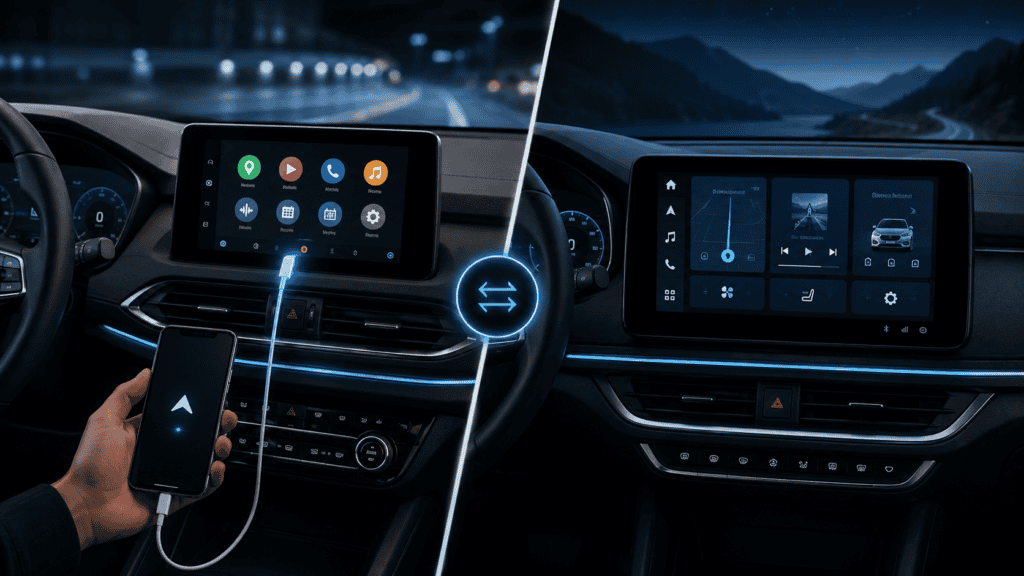
The names are similar enough that even product pages sometimes blur them together. The easiest distinction is where Android is running. With Android Auto, the phone is central. With Android Automotive OS, Android lives in the vehicle.
- Android Auto requires a compatible Android phone and car/receiver.
- Android Automotive OS runs natively in the vehicle.
- A vehicle can run AAOS and still support Android Auto.
- Google built-in is optional Google software/services on supported AAOS vehicles.
- Gemini can appear in both Android Auto and cars with Google built-in, but the underlying platform remains different.
Android Auto: the phone is still the source
Android Auto provides a driving-optimized experience by connecting a compatible phone to a compatible vehicle or aftermarket receiver. The phone supplies apps and account context; the head unit provides the display, controls, vehicle audio path and connection interface.
The connection can be wired or wireless depending on the car. When you change vehicles, much of your app environment travels with the phone.
Android Automotive OS: Android runs in the car
Android Automotive OS is an Android-based infotainment operating system built into the vehicle. Apps designed for AAOS can be installed directly on the car rather than being projected from the phone.
Because the OS is native to the vehicle, automakers can integrate it more deeply with climate, vehicle settings, displays and other systems than phone projection typically can.
Google built-in is a separate concept
Some AAOS vehicles include Google built-in, which can provide Google Maps, Google Play and Gemini/Google Assistant directly in the car. Other vehicles may use Android Automotive OS without licensing Google’s service package.
This is why “AAOS” and “Google built-in” should not be used interchangeably.
| Feature | Android Auto | Android Automotive OS |
|---|---|---|
| Runs on | Your phone | The vehicle |
| Phone required | Yes | No for native apps |
| Apps installed on | Phone | Vehicle platform |
| Connection | USB or wireless | Built in |
| Vehicle integration | Projection-level | Potentially deep system integration |
| Google built-in | Not applicable | Optional service package |
| Can both exist in one car? | Yes | |
Can a car support both?
Yes. Android Developers explicitly notes that Android Automotive OS and Android Auto are not mutually exclusive. An automaker can use AAOS as the native infotainment platform and still allow drivers to project Android Auto from their phones.
That can be useful for households where the built-in system handles vehicle functions while a driver still prefers phone-based apps or account continuity.
Which system owns your data and accounts?
With Android Auto, app accounts and much personal context live on the phone. The vehicle receives the projected experience and relevant information needed for the session. With AAOS, native apps and services can use accounts stored in the car’s infotainment environment.
Cars are long-lived shared devices, so account sign-out, guest profiles and vehicle resale deserve more attention than on a personal phone.
How updates differ
Android Auto evolves through the phone, Android system components and the car’s compatibility layer. AAOS depends much more heavily on the automaker’s vehicle software lifecycle because the operating system is part of the car.
This makes update policy an important buying consideration. A car may remain on the road for a decade or more, much longer than a typical phone.
How Gemini fits in 2026
Google has expanded Gemini across both Android Auto and cars with Google built-in. That can make the user experience feel more similar: conversational assistance, navigation help and in-car tasks can appear on both. The distinction still matters because one path is phone projection and the other is native vehicle software.
Which is better for navigation?
There is no universal winner. Android Auto gives you continuity with the apps, saved places and mobile connectivity on your phone. A deeply integrated AAOS navigation system may have access to vehicle data such as battery state or energy consumption in an EV, depending on the automaker implementation.
Which is better for long-term ownership?
Phone projection has a useful advantage: the phone is replaced more often than the car, so app capability can evolve without replacing infotainment hardware. Native AAOS can provide deeper integration, but long-term software support becomes more dependent on the vehicle maker.
Troubleshooting is fundamentally different
If Android Auto will not connect, investigate the phone, USB cable/wireless link, permissions and receiver compatibility. If a native AAOS app fails, you are troubleshooting the car’s built-in software environment, network connection and automaker update path.
For connection problems, use our Android Auto troubleshooting guide.
What should you look for when buying a car?
- Does it support Android Auto, and is it wired, wireless or both?
- Is the native system Android Automotive OS?
- If so, does it include Google built-in?
- How long does the manufacturer promise infotainment/software updates?
- Can driver profiles and accounts be removed easily before resale?
- Can essential vehicle functions still be operated if an online service is unavailable?
Offline behavior and connectivity
Android Auto normally depends on the phone’s connectivity for online services. Native AAOS apps can use the vehicle’s own data connection when the automaker provides one. In both cases, offline maps and cached media behavior depend on the app and platform configuration.
Rental cars and shared vehicles
Android Auto has a privacy advantage for temporary vehicles because most personal state remains on the phone and the projection session can be removed when you leave. With a native AAOS/Google built-in system, be careful about signing into personal accounts in rentals or shared cars and remove profiles before handing the vehicle back.
Vehicle integration can be a real AAOS advantage
Native infotainment can access vehicle-specific information that phone projection may not. In an EV, integrated navigation may be able to use battery state and charging information to plan routes more intelligently. The exact capabilities depend on the automaker, so check the vehicle rather than assuming every AAOS system has the same depth.
What happens if Google services change?
AAOS is an open-source Android-based vehicle platform; Google built-in is a separate licensed service package. This distinction matters over long ownership periods. A vehicle can continue to use AAOS even though the availability and version of individual Google services is governed by the automaker and Google’s support lifecycle.