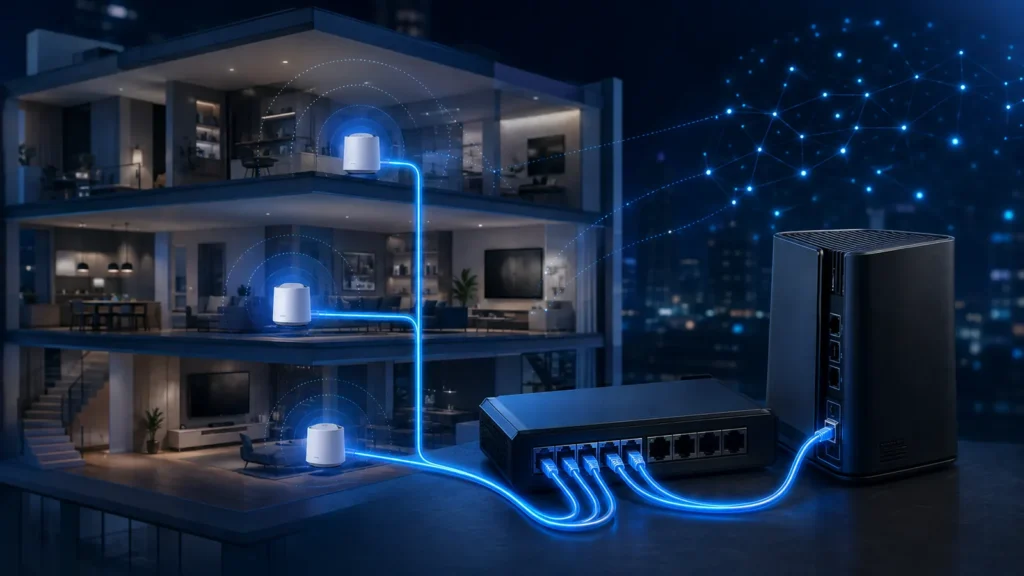
Mesh marketing focuses heavily on wireless convenience, but the best-performing mesh installations often use wires behind the scenes. Ethernet backhaul turns each node into a much more independent coverage point.
- Wireless backhaul shares spectrum with client traffic unless a separate radio/link is available.
- Ethernet backhaul gives each node a predictable upstream path.
- It allows nodes to be placed for client coverage rather than for node-to-node signal.
- 1 GbE is sufficient for many homes; 2.5 GbE matters when internet/local traffic can exceed 1 Gbps.
- Wiring one strategic node can be more useful than buying a more expensive mesh kit.
What backhaul means
Backhaul is the connection that carries traffic from a secondary access point or mesh node toward the router, switch and internet. In a wireless mesh, the backhaul itself is a Wi-Fi link. With Ethernet backhaul, a cable carries that traffic.
Why wireless backhaul can become the bottleneck
A node in a distant room has two jobs: communicate with nearby clients and communicate upstream. If both jobs use the same radio resources, the node must spend airtime relaying traffic. Walls and interference can reduce the backhaul link before the client link looks obviously weak.
What Ethernet changes
With wired backhaul, the node can use its Wi-Fi radios primarily for clients. It no longer needs to sit at a compromise point between the router and dead zone. You can place it where users actually need coverage, provided the cable reaches that location.
| Area | Wireless backhaul | Ethernet backhaul |
|---|---|---|
| Placement | Must maintain strong upstream Wi-Fi | Place for client coverage |
| Airtime | Backhaul consumes radio resources | Backhaul uses cable |
| Latency | Can rise across relay hops | More predictable |
| Multi-floor masonry | Can be difficult | Excellent fit |
| Installation effort | Low | Requires cabling |
Does Ethernet backhaul make a mesh node an access point?
Functionally it becomes much closer to a wired AP, but the mesh ecosystem still provides centralized management, coordinated configuration and often simplified roaming assistance. The hardware remains part of the mesh platform.
Is 1 GbE backhaul enough?
For many homes, yes. A gigabit link can carry more than enough traffic for streaming, browsing, video calls and ordinary client use. It can become a ceiling if you have multi-gigabit internet, fast NAS transfers or many high-throughput clients behind one node.
When 2.5 GbE matters
Wi-Fi 6E and Wi-Fi 7 radios can exceed 1 Gbps of real aggregate throughput under good conditions. If your router, switch and node all support 2.5 GbE, a faster backhaul prevents a 1 GbE cable link from becoming the first hard bottleneck.
Do you need Cat 6A?
Not necessarily. 1 GbE works over Cat 5e, and 2.5GBASE-T is designed to work over many existing Cat 5e installations within specified conditions. Use properly terminated cabling and test the link rather than replacing every run reflexively.
What if the house has coax but no Ethernet?
MoCA can provide an Ethernet-like backhaul over existing coax in suitable homes. It is often more predictable than powerline. Powerline can still be useful, but performance depends heavily on the electrical installation and noise.
Can you mix wired and wireless nodes?
Most modern mesh platforms allow some nodes to use Ethernet while others remain wireless, but implementation varies. Check the vendor documentation. A hybrid layout can be useful when only one difficult floor has a cable path.
Avoid accidental loops
Connect mesh units according to the manufacturer’s supported topology. Some systems expect all wired nodes behind the primary router or a particular switch arrangement. Unsupported double-routing or looped paths can create instability.
Ethernet backhaul and roaming
Backhaul does not force a client to roam, but it makes the capacity behind each node more consistent. Roaming still depends on the client and the coordinated WLAN configuration.
Where wiring gives the biggest payoff
- Between floors separated by reinforced concrete
- To home offices with high local traffic
- To media rooms and gaming areas
- To detached/extended sections where wireless relay is marginal
- Where a node would otherwise need two wireless hops
How to verify it is actually using Ethernet
- Check the mesh app/controller for backhaul type.
- Verify Ethernet link speed at the switch/router.
- Run a local throughput test to a wired device if possible.
- Disconnect the cable temporarily and compare performance.
- Ensure the node does not silently fall back to wireless because of a bad cable/port.
For the architecture choice, see Mesh vs Access Point. For node location without cabling, use our placement guide.
How much performance can wireless backhaul lose?
There is no single percentage because mesh systems differ. The loss depends on whether backhaul shares a radio with clients, how strong the node-to-node link is, how many hops traffic crosses and how busy the channel is. The key point is that wireless backhaul consumes scarce airtime, while Ethernet does not.
One hop vs two hops
A node connected wirelessly to the main router is one relay hop. A third node connected wirelessly through the second node can require traffic to cross two radio backhaul links. Each hop adds another opportunity for contention, retransmission and latency. If the third location is important, wiring that node can be disproportionately valuable.
Local network traffic benefits too
Ethernet backhaul is not only about internet speed. Backups to a NAS, media streaming from a local server and large file transfers can all stay inside the home network. A wired 2.5 GbE backhaul can therefore matter even if your internet plan is only 500 Mbps.
How to choose between 1, 2.5 and 10 GbE
| Backhaul | Good fit | When it becomes limiting |
|---|---|---|
| 1 GbE | Most homes, streaming, normal internet | Multi-gig WAN or heavy local transfers |
| 2.5 GbE | Modern Wi-Fi 6E/7 + NAS / fast WAN | Very high aggregate local traffic |
| 10 GbE | High-end workstation/NAS backbone | Rarely needed purely for client Wi-Fi |
Switch placement matters
You do not need every Ethernet cable to return directly to the router. A central or floor-level switch can aggregate several APs and wired clients, provided the uplink from that switch has enough capacity for the traffic it carries.
PoE can simplify installations
Dedicated access points often use Power over Ethernet, letting one cable carry power and data. Some consumer mesh nodes do not support PoE, so they still need a wall outlet even when backhaul is wired.
When Ethernet backhaul does not improve much
If the wireless backhaul is already extremely strong, clients are modest and the internet plan is slow, the difference may be small in ordinary use. Wiring is most valuable when the current relay link is the bottleneck or when you want predictable performance under load.
A before/after test that proves the benefit
- Test throughput from a client connected to the secondary node.
- Record latency to the router and to a wired LAN device.
- Connect Ethernet backhaul.
- Confirm the node reports wired backhaul.
- Repeat from the same client/location.
- Test while another client is active to reveal airtime contention differences.