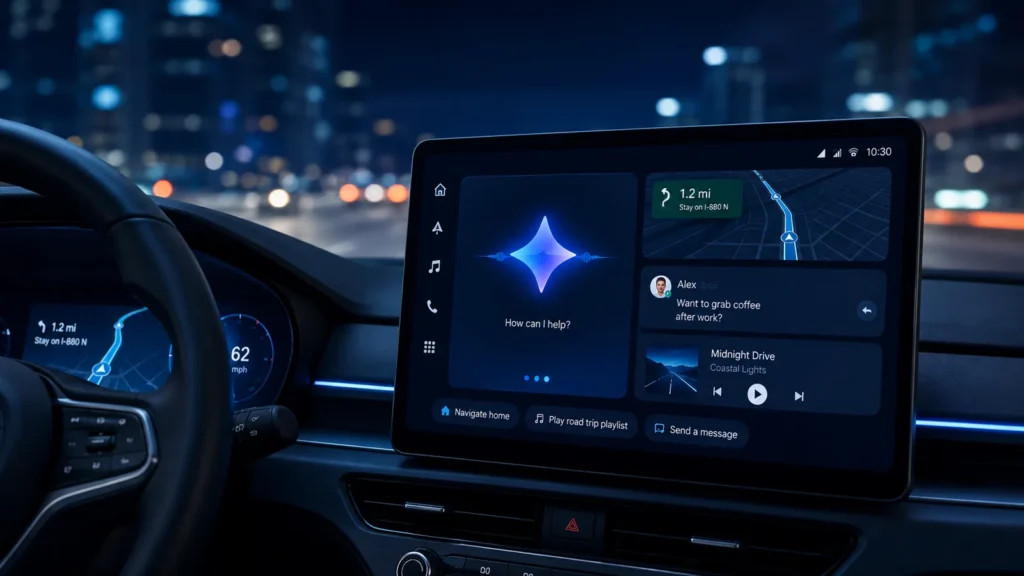
Gemini’s move into the car matters less because of a new assistant logo and more because driving is an environment where natural, low-interaction voice control is genuinely useful. The challenge is providing more capable help without encouraging the driver to spend more attention on the screen.
- Google announced the next generation of Android in cars in May 2026.
- Gemini is becoming more capable in both Android Auto and cars with Google built-in.
- Google says Android Auto is available in more than 250 million compatible cars.
- Native Google built-in vehicles can support deeper integration with vehicle hardware than phone projection.
- Feature availability depends on rollout, vehicle compatibility, region and software versions.
Gemini is replacing the old command mindset
Traditional in-car voice systems often expect rigid phrases: “navigate to…”, “call…”, “play…”. Gemini’s conversational model is designed to handle more natural follow-up questions and context, reducing the need to phrase every request like a command grammar.
This can make simple tasks less frustrating, especially when the driver wants to refine a route, ask a follow-up or combine several pieces of information.
What Google announced for Android Auto in 2026
At its May 2026 Android Show, Google described a next-generation Android Auto experience with a richer interface, premium entertainment while parked and a more capable Gemini. Google also highlighted proactive routing and conversational voice controls.
Rollout language matters: announced features may arrive gradually across phones, vehicles and countries rather than appearing everywhere on the announcement date.
What Gemini can help with in Android Auto
- Conversational navigation requests and follow-ups
- Finding places and refining route choices
- Messaging and communication by voice
- General questions that would previously require handling the phone
- Contextual assistance tied to the trip and supported apps
Android Auto vs Google built-in
| Area | Android Auto | Google built-in |
|---|---|---|
| Where software runs | Primarily phone projection | Native vehicle infotainment |
| Phone required for experience | Yes | No for native apps/services |
| Vehicle hardware integration | More limited | Can be deeper |
| Gemini | Available through Android Auto rollout | Can use vehicle-specific context on supported cars |
Vehicle-specific questions are a Google built-in advantage
Google says Gemini in vehicles with Google built-in can answer questions specific to the vehicle, such as helping identify a dashboard warning light or answering questions about whether an item will fit in the cargo area. That deeper context is possible because the assistant can be integrated with the vehicle platform rather than only projected from a phone.
Navigation becomes more proactive
Google’s 2026 direction emphasizes assistance that can anticipate context instead of waiting for a rigid command. For navigation, that can mean better route help and more conversational changes during a trip.
In compatible Google built-in vehicles, Google also announced deeper Google Maps integration such as live lane guidance using the vehicle’s front camera on supported hardware. That is a native-vehicle feature, not something every Android Auto car automatically receives.
Messaging: why conversation matters
Voice is useful in a car only if correcting or refining a message does not require looking at the screen. A conversational assistant can potentially understand “make that shorter,” “tell them I’ll arrive around six,” or follow-up instructions without forcing a complete restart.
The safest behavior is still to keep interactions brief and postpone complex tasks until parked.
What Gemini does not change
Gemini does not turn Android Auto into Android Automotive OS. Android Auto still depends on a compatible phone and car/head unit. If you want the platform distinction, see our Android Auto vs Android Automotive OS guide.
Privacy and account considerations
A more contextual assistant may process information from messages, navigation, accounts and supported services. Review Google account controls and the permissions of apps you use in the car. Do not assume that every voice interaction is purely on-device.
Does Gemini require wireless Android Auto?
The assistant capability and the transport method are separate questions. Android Auto can be wired or wireless depending on the vehicle. Gemini does not inherently make wireless projection mandatory. Use whichever connection method your compatible car supports reliably.
Will every Android Auto car get the same Gemini features?
No. Android Auto compatibility spans a huge range of vehicles and head units. Some capabilities are phone-driven and can reach many existing cars; others depend on display support, vehicle APIs or native Google built-in hardware. Google’s staged rollout language should be taken seriously.
What to check if Gemini is not available
- Update Android and Google system components.
- Check Android Auto and Gemini availability in your country/language.
- Confirm the vehicle/head unit is supported.
- Review Google account eligibility and rollout status.
- Do not assume an announced feature has reached every device immediately.
Should Gemini influence which car you buy?
It can be part of the infotainment decision, but long-term software support matters more than one assistant feature. Cars remain in service far longer than phones. Ask how long the automaker supports infotainment updates, whether Android Auto/CarPlay remain available and whether essential vehicle controls have sensible non-cloud fallbacks.