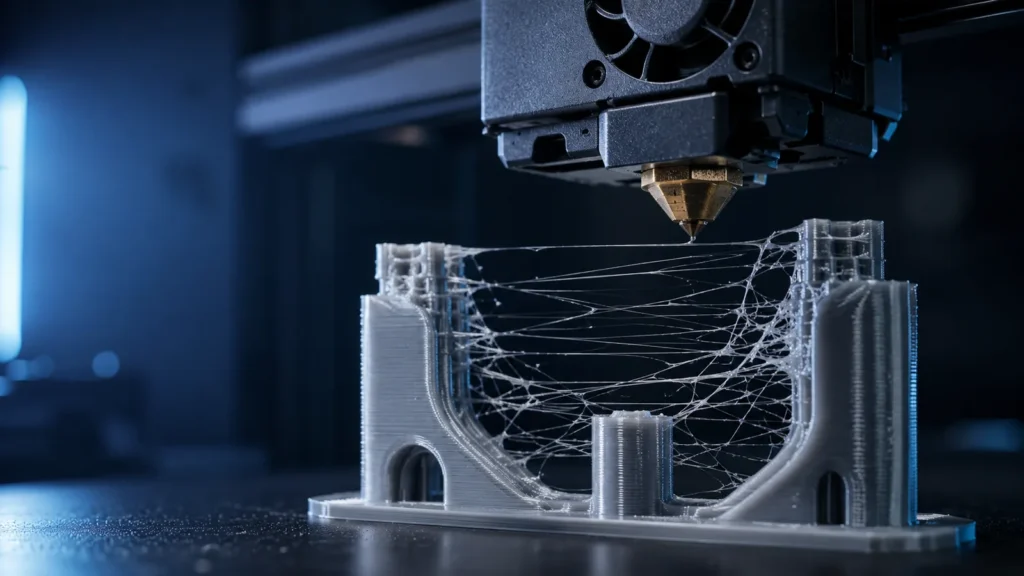
PETG is naturally more prone to fine strings than many PLA profiles because it stays sticky and can ooze from the nozzle during travel. The common mistake is to treat every string as a retraction problem.
- Dry the filament before changing several slicer settings.
- Too much temperature increases ooze.
- Retraction should be tuned conservatively, especially on direct-drive systems.
- Travel path and speed affect how much time the nozzle has to ooze.
- Pressure-control features can reduce stringing at transitions but are not a substitute for dry material.
Moisture is the first thing to rule out
PETG absorbs moisture from the air. Water in the filament can create steam bubbles, inconsistent extrusion, rough surfaces and increased wispy strings. A spool can look visually normal and still benefit from drying.
Temperature controls how easily PETG oozes
Higher nozzle temperature lowers viscosity and improves layer bonding, but it also makes the molten polymer easier to leak from the nozzle during travel. If stringing is severe, test lower temperatures within the manufacturer’s recommended range.
Retraction reduces pressure, not moisture
Retraction pulls filament back slightly before travel. The goal is to reduce pressure at the nozzle tip, not to “suck all plastic out” of the melt zone. Excessive retraction can create inconsistent extrusion, heat-creep risk or clogs.
Direct drive vs Bowden
Direct-drive printers generally need shorter retraction distances because the extruder is close to the hotend. Bowden systems have more elastic filament path and often require more distance. Copying a Bowden retraction number to a direct-drive printer is a classic mistake.
| Cause | Typical clue | Best first test |
|---|---|---|
| Wet filament | Fine fuzz + popping/roughness | Dry spool |
| Temperature too high | Glossy/oozy strings | Temperature tower |
| Retraction too low | Strings mainly between islands | Small retraction test |
| Slow travel | Long thick strings | Increase travel speed within machine limits |
| Nozzle residue | Random blobs/string starts | Clean nozzle exterior |
Travel speed matters
A faster non-print move gives the nozzle less time to ooze between separate features. This does not mean setting unsafe travel speeds; use a value the printer can handle without ringing or skipped steps.
Avoid crossing open areas when possible
Slicer options such as “avoid crossing perimeters” or travel optimization can reduce visible strings by keeping travel inside already printed regions. The trade-off can be longer travel paths and increased print time.
Pressure advance can help transitions
Pressure advance/linear advance compensates for pressure changes in the extrusion system. Proper tuning can reduce blobs and ooze at acceleration/deceleration transitions, but it will not remove classic moisture stringing.
Cooling and fan behavior
PETG generally uses less cooling than PLA, but some part cooling can help fine strands solidify and break rather than stretch. Too much fan can hurt layer adhesion, so tune cooling for the geometry rather than maxing it out.
Nozzle contamination can look like stringing
PETG likes to stick to metal. Material accumulated on the nozzle can drag across the print and leave random hairs or blobs. Keeping the nozzle exterior clean reduces this false “stringing” behavior.
Retraction speed: faster is not always better
Very high retraction speed can grind filament or create abrupt pressure changes. Moderate, repeatable settings usually work better than extreme values.
When stringing is acceptable
A few hair-thin strands on a complex PETG print can be easier to remove with a quick pass of warm air than to eliminate through aggressive settings that damage surface quality or reliability.
A sensible tuning order
- Dry the spool.
- Print a temperature test.
- Confirm extrusion/flow is otherwise stable.
- Tune retraction distance in small steps.
- Tune retraction speed conservatively.
- Increase travel speed if the printer can handle it.
- Adjust travel-path options last.
When stringing indicates a hardware issue
If the printer suddenly strings much more with every material, inspect the hotend for leaks, damaged PTFE components (where used), temperature instability or a partial clog. A profile that worked yesterday should not require dramatic retuning without a cause.
For the full systematic fix workflow, see How to Fix PETG Stringing.