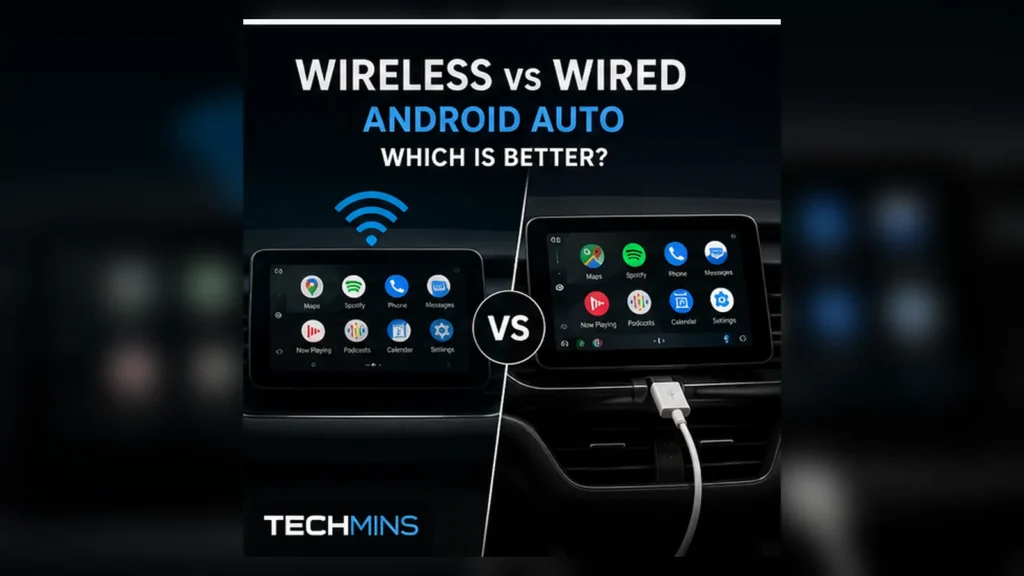
Wired and wireless Android Auto deliver the same basic phone-projection concept, but the connection path is different enough to affect reliability, battery behavior and troubleshooting. Treating wireless Android Auto as simply “wired without the cable” misses several practical trade-offs.
- Wired is usually simpler to diagnose and naturally charges the phone.
- Wireless is more convenient but adds Bluetooth/Wi-Fi pairing and radio load.
- A poor USB cable can make wired Android Auto less reliable than a good wireless implementation.
- Wireless charging plus wireless Android Auto can create substantial phone heat.
- Audio quality is usually determined more by the Android Auto audio path and source than by choosing wired vs wireless projection.
How wired Android Auto works
With wired Android Auto, the phone connects to a data-capable USB port in the vehicle. That cable carries the projection data and normally supplies power at the same time. Google recommends a high-quality USB cable for wired Android Auto, and the car must expose a USB port that actually supports Android Auto rather than charging only.
The benefit of this architecture is simplicity: there is one obvious physical link to test. If the connection fails, you can isolate the cable, phone connector, vehicle USB port and head unit in a repeatable order.
How wireless Android Auto works
Wireless Android Auto requires a compatible phone and vehicle/head unit. Google currently specifies 5 GHz Wi-Fi support for the phone; initial setup uses Bluetooth pairing, and Wi-Fi remains part of the wireless projection path. Android 11 or newer is the general phone requirement for wireless projection, subject to vehicle and regional compatibility.
This gives you an excellent everyday experience when it works well: enter the car, wait for the connection and leave the phone in a pocket or bag.
Reliability: wired usually has fewer moving parts
A stable wired connection avoids Wi-Fi interference and wireless pairing state. On the other hand, it introduces a mechanical component — the cable — that can wear out, loosen or become intermittent over bumps.
Wireless adds more software and radio state: Bluetooth pairing, Wi-Fi availability, head-unit wireless firmware and the phone’s power/network management. A mature vehicle implementation can still be extremely reliable, but there are simply more layers that can fail.
| Area | Wired Android Auto | Wireless Android Auto |
|---|---|---|
| Convenience | Plug in every trip | Usually automatic |
| Charging | Normally yes | No unless charged separately |
| Battery use | Usually offset by USB power | Higher phone battery use |
| Heat | Varies with charging/navigation | Can be higher, especially with wireless charging |
| Troubleshooting | Cable/USB path is easier to isolate | Bluetooth + Wi-Fi + pairing + firmware |
| Short-trip convenience | Lower | Excellent |
| Long-drive predictability | Often strongest | Depends heavily on implementation |
Battery drain and heat
Wireless projection keeps the phone’s wireless radios active while navigation, location services, mobile data, music streaming and screen-off background processing may all be running. That consumes energy. If you add wireless charging, the phone is simultaneously generating heat from computation/radios and from charging losses.
Heat can reduce charging speed and, in extreme cases, cause the phone to throttle performance or pause charging. For a long navigation session, a wired data connection with sensible USB charging can be easier on battery state than running wireless projection without power.
Does wired Android Auto have lower latency?
A direct cable removes one wireless hop, so it can reduce the number of variables affecting latency. In a well-designed wireless implementation, normal UI and audio control should still feel responsive. If you notice obvious input delay, stuttering or repeated reconnects, that points more to a compatibility or stability problem than to an unavoidable property of wireless Android Auto.
What about audio quality?
Android Auto handles media through the projection system rather than using ordinary Bluetooth audio in the same way as a simple phone-to-car music connection. Choosing wired instead of wireless does not automatically give you “lossless” or better-sounding audio. Source quality, head-unit implementation, vehicle DSP and speakers matter more.
Wireless Android Auto for short trips
This is where wireless is at its best. For a 10-minute commute, repeatedly taking the phone out, plugging it in and unplugging it can be more friction than the user wants. Automatic connection makes navigation, messaging and music available with almost no interaction.
Wired Android Auto for long trips
On a multi-hour drive, battery management and reliability become more important. A cable supplies power and avoids dependence on a sustained Wi-Fi projection link. If your car’s wireless implementation is already rock solid, there is no need to switch — but wired remains an excellent fallback to keep available.
Can you use wireless Android Auto and still plug in for charging?
Often yes, but vehicle behavior varies. Some cars switch to wired projection as soon as the phone is connected to the Android Auto USB port. Others may allow charging from a separate power-only port or charger while wireless projection continues. Check the vehicle’s behavior rather than assuming one universal rule.
Why wireless adapters are different
An aftermarket wireless Android Auto adapter acts as a bridge between a phone and a vehicle that originally expected wired Android Auto. That adds another device, firmware layer and boot process. A good adapter can be convenient, but it should not be expected to be as simple as native wireless support built into the head unit.
Which should you choose?
- Choose wired if reliability, charging and easy troubleshooting matter most.
- Choose wireless if most journeys are short and automatic connection is the priority.
- Keep both available if your car supports them; wireless for daily use, cable as a fallback.
- Investigate the system if either mode disconnects frequently — repeated dropouts are not something you should simply accept.
If Android Auto does not connect at all
Connection failure is a different problem from choosing between modes. Use our complete Android Auto troubleshooting guide to isolate phone, cable, USB port, Bluetooth/Wi-Fi pairing and head-unit problems.