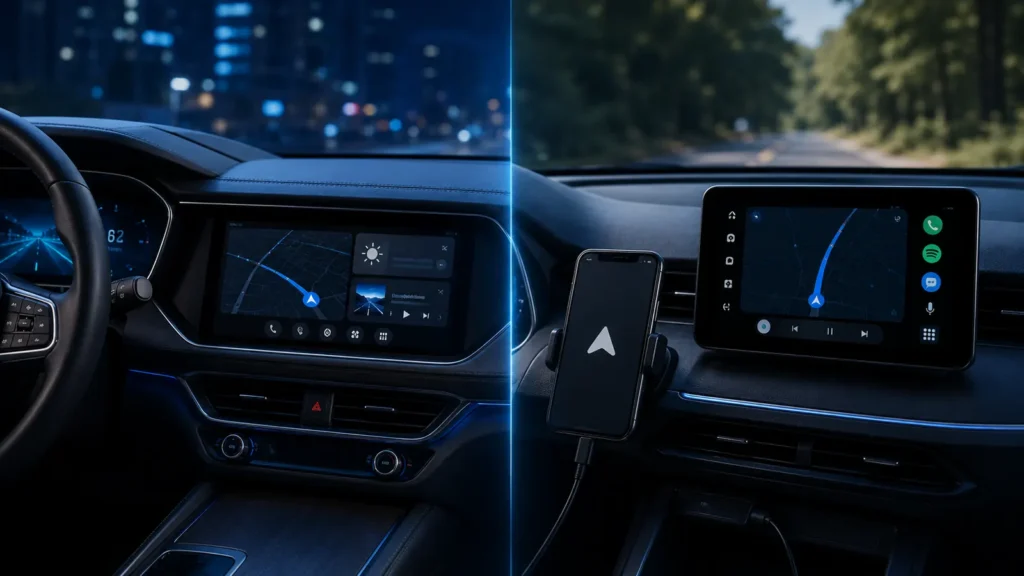
The names overlap because both experiences use familiar Google services, but ownership of the computing environment is different. With Android Auto, your phone is central. With Google built-in, the car itself is an Android device.
- Android Auto requires a compatible Android phone.
- Google built-in runs natively on supported Android Automotive OS vehicles.
- Google built-in is not another name for Android Automotive OS; it is a Google service package on AAOS.
- A car can offer both.
- Native integration can use vehicle-specific data that phone projection may not expose.
Android Auto: your phone powers the experience
Android Auto connects a compatible Android phone to a car or aftermarket receiver and presents a driver-optimized interface. Apps, accounts and much of the processing come from the phone.
Google built-in: the car runs Google services
Android Developers states that cars with Google built-in run Android Automotive OS and include Google apps/services such as Google Play, Gemini/Google Assistant and Google Maps. Apps designed for the vehicle can be installed directly in the car.
Android Automotive OS is the platform underneath
AAOS is the embedded operating system. Google built-in is the licensed Google service layer available on some AAOS vehicles. Other AAOS vehicles can use different app stores, maps or assistants.
| Area | Android Auto | Google built-in |
|---|---|---|
| Runs on | Phone + projection interface | Vehicle infotainment computer |
| Phone required | Yes | No for native features |
| Apps | Installed on phone | Compatible apps installed in car |
| Google Maps | Phone-projected | Native vehicle app |
| Vehicle integration | Limited by projection interface | Can be deeper |
| Updates | Phone + head-unit compatibility | Automaker/vehicle software lifecycle |
Can a car support both?
Yes. Android Developers explicitly notes that Android Automotive OS and Android Auto are not mutually exclusive. That means an AAOS/Google built-in car can still let you plug in or wirelessly project Android Auto.
Why native navigation can be better integrated
A native vehicle system can potentially access battery state, charging information and other vehicle signals. In an EV, that can support routing decisions based on energy use and charging stops. Exact features depend on the manufacturer.
Why Android Auto still has an advantage
Your phone is replaced more frequently than your car. Android Auto lets much of your app environment and account state move with the phone, which can keep an older compatible vehicle feeling current without replacing the infotainment computer.
Accounts and privacy
With Android Auto, personal accounts primarily live on the phone. With Google built-in, you may sign into Google and other services directly on the vehicle. That makes profile management especially important for shared cars, rentals and resale.
What happens when you sell the car?
Remove Google accounts, driver profiles, saved destinations and paired devices according to the manufacturer’s reset process. A car is a long-lived connected computer; treat account removal as part of vehicle handover.
Updates are a buying criterion
Phone projection benefits from frequent phone-side updates. Google built-in depends more on the automaker’s vehicle software support. Ask how long infotainment updates are planned and whether app/platform updates are delivered independently.
Does Google built-in require an internet connection?
Many services depend on data, though offline capabilities vary by app and vehicle. Some cars include a data plan for a period; others rely on owner subscriptions or tethering. Check the manufacturer’s terms.
Gemini in 2026
Google has expanded Gemini across Android in cars, including Android Auto and Google built-in experiences. The assistant can feel similar across both, but the platform difference remains: one runs through your phone, the other can be native to the vehicle.
Which should influence your car purchase?
- Does the car support Android Auto as a fallback?
- Is Google built-in included, and for how long are data/services included?
- How long does the automaker promise infotainment updates?
- Can native navigation use useful vehicle data such as EV state of charge?
- Can accounts and profiles be removed cleanly?
- Are essential vehicle controls still usable without cloud services?
For the underlying platform distinction, see Android Auto vs Android Automotive OS. For the 2026 assistant changes, see Gemini in Android Auto in 2026.
Google built-in vs “Google services through Android Auto”
Seeing Google Maps and Gemini on the screen does not tell you which platform is running them. In Android Auto, those services come from the phone projection experience. With Google built-in, the native vehicle system runs Google apps directly.
Native vehicle integration: where it becomes useful
An AAOS/Google built-in implementation can expose vehicle data to approved native apps. In an EV, Google Maps may be able to use battery state, charging capability and vehicle efficiency when planning stops. Android Auto may have less direct access depending on the vehicle integration.
What happens when you change phones?
Google built-in remains in the car because it is part of the vehicle platform. Android Auto changes with the phone. This can be an advantage for native features, while phone projection makes it easy to carry your preferred apps/settings between multiple cars.
What happens when you change cars?
Android Auto follows your phone to any compatible vehicle. Google built-in settings/accounts may need to be configured separately in the new car. That portability is one reason phone projection remains useful even in vehicles with capable native software.
Data connection and subscriptions
A Google built-in car may have its own modem and manufacturer-provided data plan, sometimes only for an introductory period. Android Auto generally uses the phone’s mobile data. Buyers should check what remains included after the vehicle’s trial period ends.
App availability
Android Auto apps are installed on the phone and must support the Android Auto car-app categories. Google built-in apps are installed through the vehicle’s Google Play environment and must support Android Automotive OS. The catalogs overlap but are not identical.
Vehicle lifetime vs phone lifetime
A car may remain in service for 10–15 years, while a phone is replaced much sooner. Native infotainment therefore depends heavily on the automaker’s long-term software maintenance. Phone projection can provide a useful modernization path later in the car’s life.
Privacy in a shared household
With Google built-in, multiple drivers may create profiles in the car. Review what is shared across profiles, what remains tied to each Google account and how guest mode works. With Android Auto, much of the personal state stays on the phone, though the head unit can still retain pairing and recent-device information.
Rental-car behavior
Android Auto is often preferable for rentals because your phone provides the apps and you can delete the pairing afterward. Signing into a native Google built-in profile in a rental creates more account state on the vehicle and requires a deliberate sign-out/reset step.
Offline and degraded operation
Both platforms can offer some offline behavior through cached maps/media depending on app configuration. Cloud services and live traffic naturally require connectivity. Essential climate or vehicle controls should not depend solely on a cloud service regardless of platform.
Decision table for buyers
| Priority | More important feature |
|---|---|
| Deep EV/vehicle integration | Google built-in / native AAOS capability |
| Use same apps across several cars | Android Auto |
| Long-term fallback if native system ages | Android Auto support |
| No phone required for maps/apps | Google built-in |
| Rental/shared-car privacy simplicity | Android Auto often easier |